

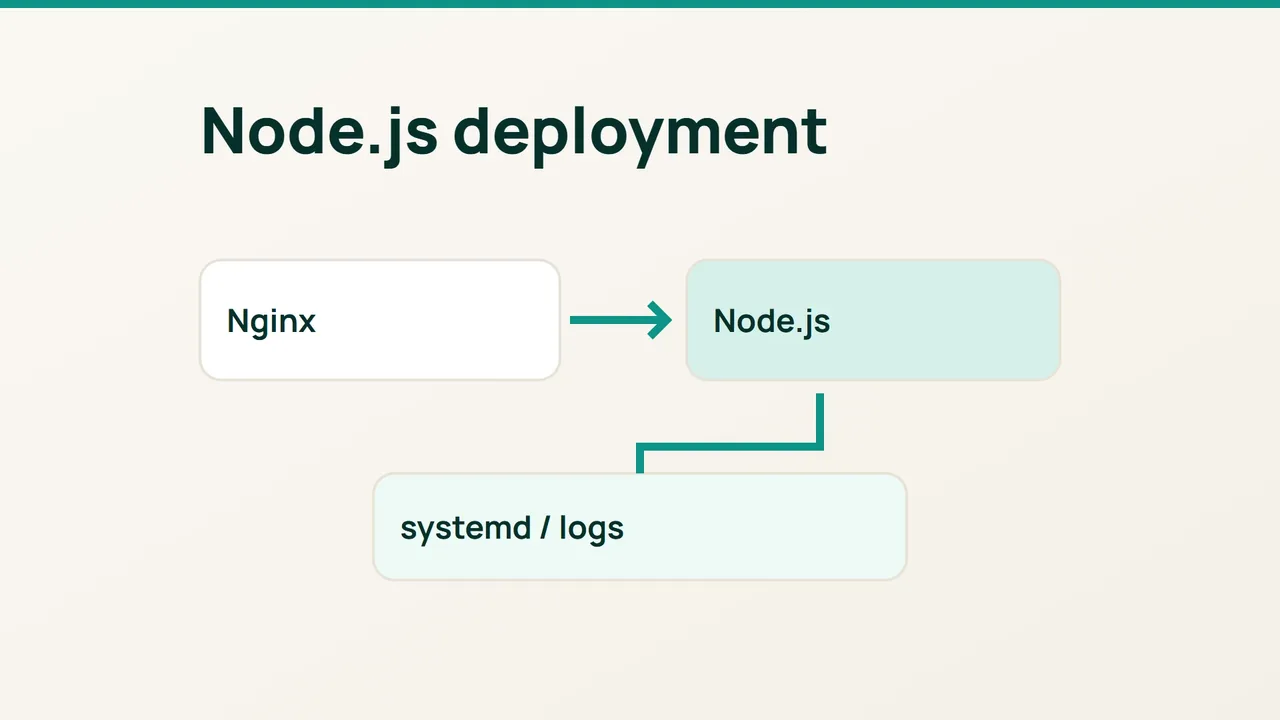
A reverse proxy gives a Node.js process a stable public entry point. Following the proxy model in Nginx's guide, this deployment keeps Node on loopback and uses systemd to handle startup, failure recovery and logs.
1. Give the application its own account
Start with an Ubuntu VPS, sudo, Nginx and a supported Node.js release compatible with your application. Run node --version and command -v node; the service below assumes the binary is /usr/bin/node. Substitute its actual absolute path.
sudo useradd --system --home-dir /srv/nodeapp \ --shell /usr/sbin/nologin nodeappsudo install -d -o root -g nodeapp -m 750 /srv/nodeappsudoedit /srv/nodeapp/server.jsUse this dependency-free application to prove that the deployment works:
const http = require('node:http');const server = http.createServer((req, res) => { res.writeHead(200, {'Content-Type': 'text/plain'}); res.end('nodeapp ready\n');});server.listen( Number(process.env.PORT || 3000), process.env.HOST || '127.0.0.1');process.on('SIGTERM', () => server.close());For a real project, deploy your tested build and production dependencies in place of this sample. The service account should read the code without owning it. Give writable application data a separate directory owned by nodeapp.
2. Make startup reproducible
Create a root-readable environment file:
sudo install -m 600 /dev/null /etc/nodeapp.envsudoedit /etc/nodeapp.envNODE_ENV=productionHOST=127.0.0.1PORT=3000These are assignments, not shell commands; omit export. Your application must actually consume them. In particular, a HOST value cannot fix code that always listens publicly. Keep sensitive values out of application logs.
Use sudoedit to create /etc/systemd/system/nodeapp.service:
[Unit]Description=Node applicationAfter=network.target [Service]Type=simpleUser=nodeappGroup=nodeappWorkingDirectory=/srv/nodeappEnvironmentFile=/etc/nodeapp.envExecStart=/usr/bin/node /srv/nodeapp/server.jsRestart=on-failureRestartSec=5NoNewPrivileges=truePrivateTmp=trueStandardOutput=journalStandardError=journal [Install]WantedBy=multi-user.targetsudo systemctl daemon-reloadsudo systemctl enable --now nodeappcurl -fsS http://127.0.0.1:3000/sudo journalctl -u nodeapp -n 30 --no-pagerAn environment change needs a service restart. A unit-file change also needs daemon-reload. Avoid relying on a login shell or a developer's version-manager initialization.
3. Put Nginx in front and prove recovery
Replace location / in your domain's Nginx server block with:
location / { proxy_pass http://127.0.0.1:3000; proxy_http_version 1.1; proxy_set_header Host $host; proxy_set_header X-Real-IP $remote_addr; proxy_set_header X-Forwarded-For $remote_addr; proxy_set_header X-Forwarded-Proto $scheme;}Retain the site's existing HTTPS configuration. On a new site, configure the domain and certificate before transmitting credentials. This example handles ordinary HTTP with Nginx directly facing clients; WebSocket or an upstream CDN needs additional configuration. Leave port 3000 closed externally.
Replace the domain below. Before opening the site to users, deliberately terminate the sample process:
sudo nginx -t && sudo systemctl reload nginxcurl -fsS https://example.com/sudo systemctl kill --kill-whom=main \ --signal=SIGKILL nodeappsleep 6systemctl is-active nodeappcurl -fsS http://127.0.0.1:3000/Success means the service returns to active and both routes produce the expected response. During a planned reboot, also verify that it starts without an SSH session.
Common failures: check the executable path for 203/EXEC, a competing listener for EADDRINUSE, and the local response before investigating an Nginx 502. An intentional systemctl stop leaves the service stopped; use a process failure to test recovery.