

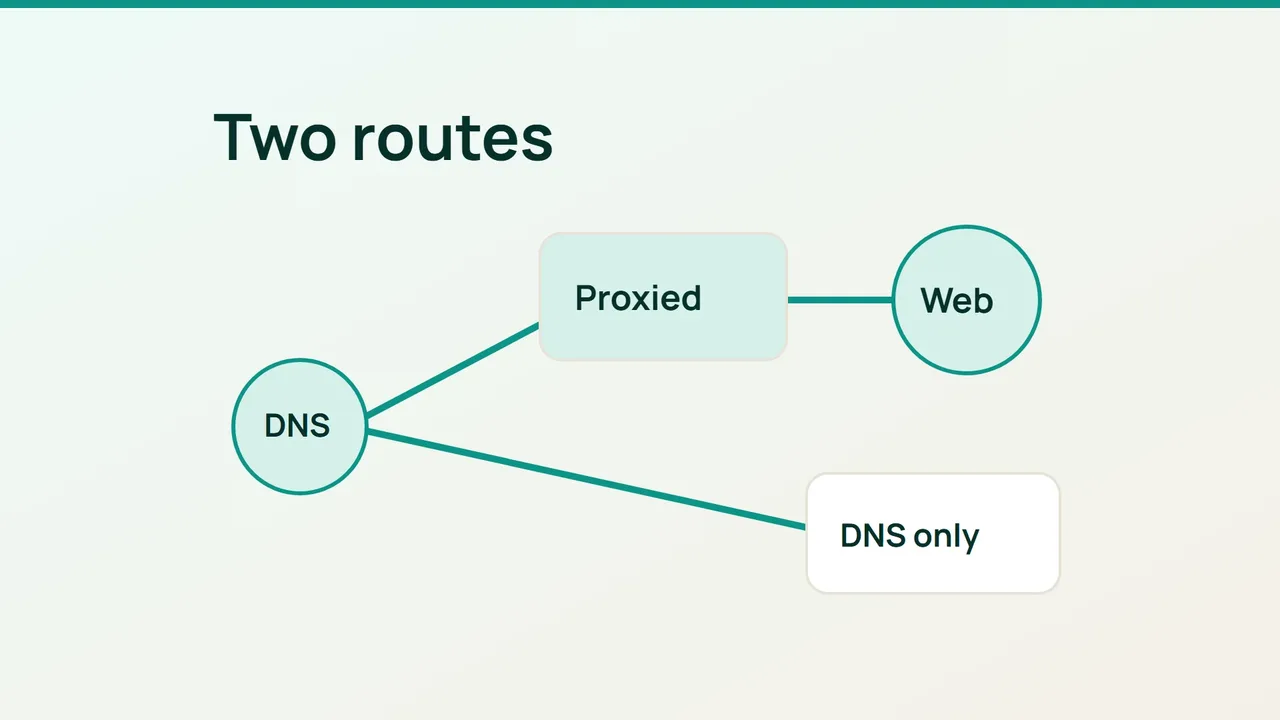
A new cache feature cannot affect a request that never crosses Cloudflare. Before troubleshooting missing cache behavior, map the proxy setting of the hostname your visitors actually use.
1. Sort records by the service they carry
List the root domain, www, web applications, mail hosts and third-party verification names. Give each entry a purpose and an owner. A short inventory is easier to review than a screen full of orange and gray icons.
For HTTP and HTTPS, Proxied places Cloudflare between the visitor and the origin. DNS only leaves Cloudflare answering DNS queries without forwarding that web traffic. A, AAAA and CNAME records can use the proxy; MX and TXT records cannot.
Keep domain-verification CNAME records in the state requested by their provider, normally DNS only. A mail server's address record should not be placed behind the web proxy simply because the dashboard offers a toggle.
If you cannot identify a hostname's purpose, find its owner before changing it. Treat an undocumented service as an investigation item rather than guessing from the name. Record the current setting so someone else can reverse your change.
2. Enable the proxy on one web hostname
Start with a web hostname whose origin address you know. Confirm that the address and the server's HTTPS configuration belong to the intended application. Change its proxy status, save it, and leave the other services alone until validation is complete.
Be careful with multiple addresses on one name. When at least one A or AAAA record is proxied, Cloudflare treats the other A and AAAA records on that name as proxied too. A CNAME chain can also lead through an already proxied hostname.
Repeat this process for the remaining website names. Keep application authentication and HTTPS checks in your acceptance criteria: enabling the proxy does not configure either of those for you.
3. Verify both routing and behavior
From a system with DNS tools, run:
dig A www.example.com @1.1.1.1dig AAAA www.example.com @1.1.1.1Replace the sample hostname. Proxied names return Cloudflare network addresses rather than the configured origin address. Compare the answer with the dashboard and remember that another hostname in the same zone may use a different route.
Open the HTTPS site, load a public page and submit a harmless test form. If a shared hostname was changed, check its other consumers separately. Should the change break a service, restore that specific setting while you investigate. Finish with a hostname-by-hostname record of the route and the test result; this becomes useful evidence when a later rule appears ineffective.
Sources: Cloudflare Blog, Cloudflare documentation.