

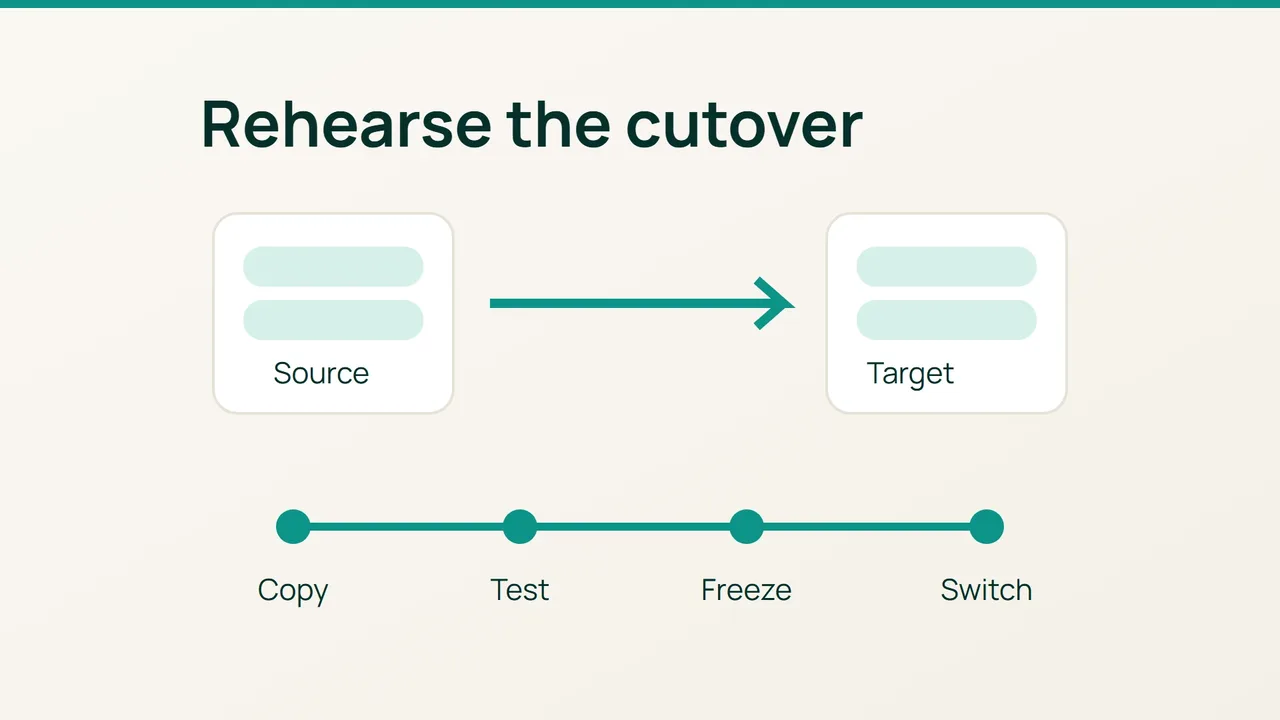
Transfer Tool can copy accounts, but it cannot decide when your applications should stop writing to the old server. Its documented DNS, mail and PHP-FPM behaviour makes a rehearsed cutover essential for a multi-account migration.
Search intent: move cPanel accounts to a new WHM server while limiting disruption and retaining a workable rollback. You need administrative access to both hosts and control of authoritative DNS. Treat a short write-maintenance window as a planning tool, not a failure to deliver “zero downtime.”
1. Build a compatibility and recovery checklist
What can fail after a successful copy?
Missing PHP extensions, incompatible SQL versions, stale IPv6 records, incorrect mail routing and late writes can all break a restored account. Inventory each domain’s PHP release, extensions, databases, mail volume, cron jobs, certificates, IP addresses and external dependencies.
Compare EasyApache 4 and MultiPHP Manager on both servers. Validate destination storage, quotas, hostname and supported software versions before moving data.
hostname -fdf -hdf -imysql --versiondig example.com Adig example.com AAAAdig example.com MXThe mysql version command identifies the client. Check the server separately with SELECT VERSION(); in an authenticated SQL session. Relevant account paths include /home/cpuser/ and /home/cpuser/mail/; record application database configuration locations as well. Copying an active database data directory is not a consistent database migration.
Back up before transferring
Use WHM’s backup configuration and restoration facilities to establish a complete backup of every account, keep a copy off the source and test restoration with a pilot account. Export authoritative DNS zones and preserve mail-routing settings. Save PHP-FPM account metadata under /var/cpanel/userdata/cpuser/.
Lower relevant TTLs before the migration window and wait out their previous values. Lowering a TTL does not shorten answers that resolvers have already cached, nor does it control persistent client connections.
2. Rehearse, freeze writes and cut over
- Run an isolated pilot. Open Transfers, Transfer Tool on the destination WHM. Choose a representative non-critical account and review options before Copy. Disable Live Transfer for a rehearsal that must not move production traffic: it can change source-side routing.
- Control DNS side effects. Review DNS cluster relationships. If Update DNS Zone is disabled, manually prepare destination zones and mail routing; the tool does not create them in that mode. A synchronised cluster can spread changes beyond the destination. Do not assume a rehearsal is harmless just because public nameservers are unchanged.
- Compare the restored service. Check extensions, permissions, databases and scheduled jobs. PHP-FPM settings require attention: inspect the transferred
.php-fpm.transferredmetadata and recreate the required domain settings through MultiPHP Manager. - Test using the production hostname without changing DNS.
curl --resolve example.com:443:192.0.2.20 -sS -o /dev/null -w '%{http_code}' https://example.com/Use the actual destination IP. The override preserves HTTP hostname and TLS SNI while selecting the new server. Do not add -k to hide certificate problems. Exercise login, forms and payment test mode without creating real transactions.
5. Perform the final consistent copy. Put write-heavy sites into an announced maintenance window. Stop application job producers and cron activity on the source and confirm writes have ceased. Transfer the account from that frozen state. Where a rehearsal account already exists at the destination, back it up and review replacement options explicitly before the final operation.
6. Complete mail and DNS handoff. For an eligible final cutover, Live Transfer includes a further mailbox copy and service routing to the destination. It is not continuous replication for every application dataset. Check externally managed A/AAAA and MX records, mail authentication records and DNSSEC separately. Inspect outstanding mail queues before retiring the old host.
Roll back without creating two writable copies
Before the destination accepts writes, restoring saved routing and DNS may be sufficient after validation. Once it has accepted orders or messages, stop writes and reconcile the new data before returning traffic to the source.
With Live Transfer, unsuspending the source account disables service proxying. Use that action only as part of the deliberate rollback, after deciding which dataset is authoritative. Never allow both copies to collect independent production updates.
3. Final verification
Check every account for dynamic responses, TLS, login, incoming and outgoing mail, quotas, scheduled tasks and destination backups. Verify public DNS and inspect remaining useful traffic on the source. Enable scheduled jobs once, on the approved destination, and reconfigure transferred users’ MFA.
Common mistakes
Switching off the source immediately after a DNS update can strand delayed mail. Running upcp or restarting services during transfer can disrupt the operation. An HTTP 200 does not establish that an order, upload or mailbox arrived intact.
Production recommendations
Use small batches with named cutover ownership, stop conditions and an agreed recovery window. Retain the source until cached traffic, mail queues and backups have been checked. Server deletion belongs to a later, explicit retirement decision.
Sources: cPanel Transfer Tool, the transfer process.