

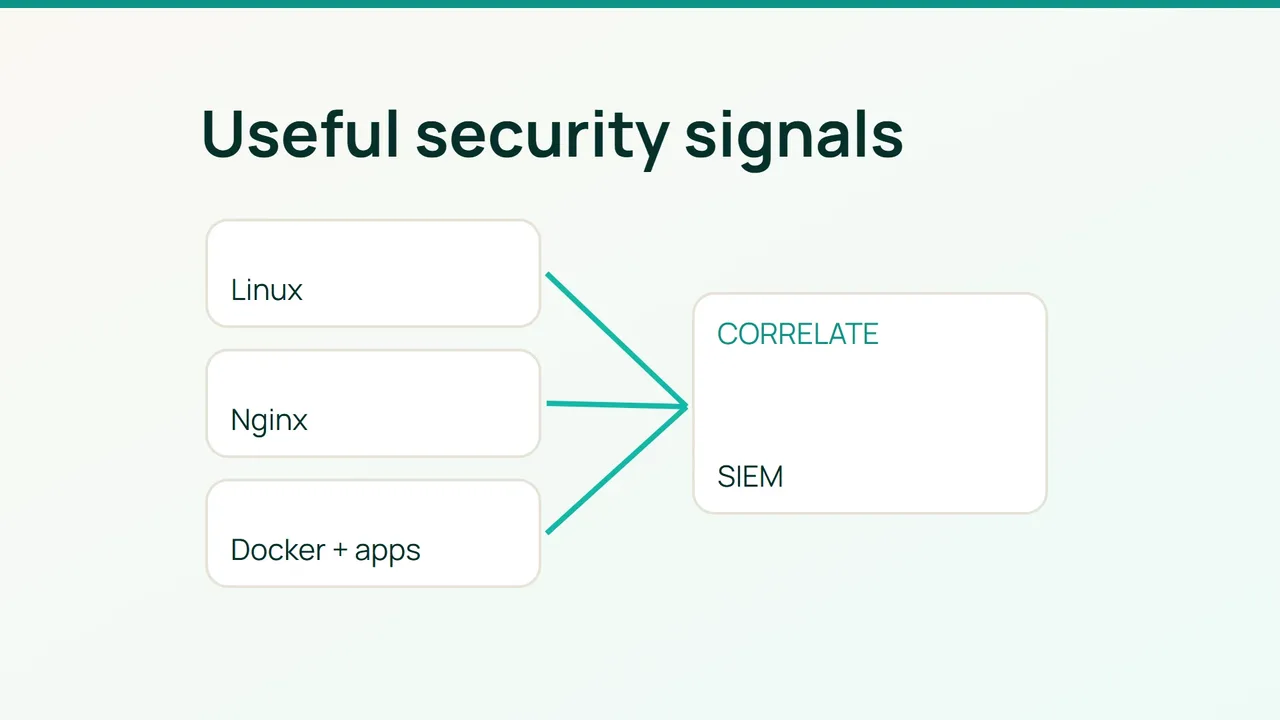
An SSH failure, a burst of Nginx 404s and a container restart are not automatically one incident. Build a SIEM that preserves the fields needed to investigate that relationship, while leaving routine health-check noise out of the expensive path.
1. Design collection around questions you need to answer
Start with an operational, version-compatible Wazuh deployment: Linux agents → manager for decoding and rules → Wazuh indexer → dashboard. Use supported component combinations instead of substituting an arbitrary OpenSearch release. Protect transports and certificates, and keep indexer and dashboard access on an administration network.
The pilot needs a Linux agent, Nginx, Docker Compose, rsyslog, sudo, configuration backups and synchronized clocks. This example assumes authentication records in /var/log/auth.log; adapt for distributions using secure or journald-only logging.
timedatectl statussudo systemctl status wazuh-agent --no-pagersudo journalctl -u docker --since '-1 hour'docker compose pssudo du -sh /var/log/nginx /var/log/auth.logMeasure event rate, daily bytes and ingestion delay over representative traffic. Estimate retention storage from those measurements, then include replicas and headroom. Set retention according to investigation needs and test restoration of the retained data.
Your useful common fields are UTC time, host, service, environment, result, trusted client address and request ID. Exclude tokens, cookies, request bodies and secret-bearing query strings. Client-IP headers are trustworthy only when supplied through your approved proxy chain.
2. Add sources with explicit formats
For a test Compose service, route its output to a dedicated host log instead of scraping Docker's entire internal directory. Merge this fragment:
services: app: logging: driver: syslog options: syslog-address: "unixgram:///dev/log" syslog-format: "rfc3164" tag: "shop-app"Create the destination directory with permissions suitable for rsyslog, then add /etc/rsyslog.d/35-shop.conf:
if $programname == 'shop-app' then { action(type="omfile" file="/var/log/containers/shop.log") stop}Validate before activation:
sudo rsyslogd -N1sudo systemctl restart rsyslogdocker compose configExisting containers keep their current logging driver until recreated. Schedule that recreation or use a rolling deployment. Check local diagnostic access too: changing drivers can affect what operators obtain through docker logs.
Inside the agent's ossec_config element in ossec.conf, add only sources not already collected:
<localfile> <location>/var/log/auth.log</location> <log_format>syslog</log_format></localfile><localfile> <location>/var/log/nginx/access.log</location> <log_format>apache</log_format></localfile><localfile> <location>/var/log/containers/shop.log</location> <log_format>syslog</log_format></localfile><localfile> <location>/var/log/shop/security.json</location> <log_format>json</log_format></localfile>The Nginx entry assumes compatible combined-format access logs. JSON access logs require the JSON format and decoder tests. The application file must contain one JSON object per line. Syslog-wrapped container messages may need their own decoder; do not assume embedded JSON fields will automatically appear in the normalized event.
On the manager, create /var/ossec/etc/rules/shop_rules.xml after checking these custom IDs are unused:
<group name="shop,"> <rule id="100510" level="5"> <decoded_as>json</decoded_as> <field name="event">^auth_failed$</field> <description>Shop authentication failure</description> </rule> <rule id="100511" level="10" frequency="8" timeframe="120"> <if_matched_sid>100510</if_matched_sid> <same_field>client_ip</same_field> <description>Repeated authentication failures</description> </rule></group>Treat this threshold as a starting policy. Verify actual counter behavior on your Wazuh version. Require a populated, trustworthy client_ip field before relying on the correlation.
3. Prove the whole path, then expand carefully
Run sudo /var/ossec/bin/wazuh-logtest on the manager and feed it repeated synthetic events:
{"event":"auth_failed","client_ip":"192.0.2.8"}Inspect decoding, fields, the initial rule and the correlation result. After successful validation, reload the manager and agent through your deployment's procedure. Generate a harmless application test event through the real collector and find its alert in the dashboard. A successful logtest does not prove transport or indexing.
Next add specific investigation questions: a successful login following failures; administration from a new origin; many distinct 404 paths from one source; repeated 5xx responses by service; account changes; unexpected container restarts. Tune scan thresholds against known probes without globally exempting those addresses.
Monitor silent agents, queue losses, clock drift, parsing failures, ingestion lag, indexer disk and unowned alerts. Filter health checks at the source where practical, while retaining authentication and change events. Do not enable blanket archival of every event as your first production setting.
Rollback restores previous configurations, removes only the new collection blocks and custom rules, and reloads the services. Restoring the former Docker logging driver requires another controlled container recreation. Keep already collected evidence.
Roll out to small host groups. Collection and indexing consume CPU, disk I/O and bandwidth; load-test the pipeline and confirm that log saturation does not take down the application. Assign a responder and a documented next action to each production alert.
Sources: Wazuh log collection, Wazuh custom rules.